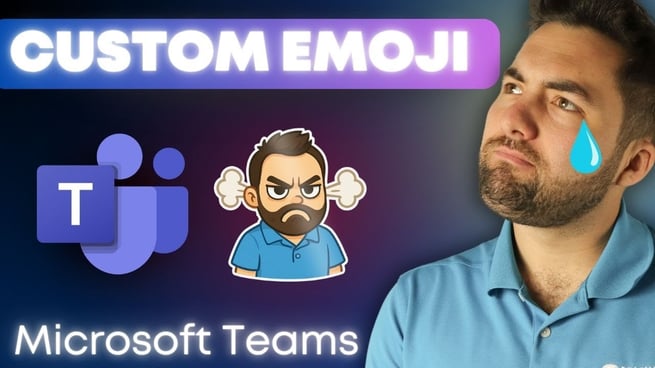
In this video by Greg Trzeciak of Pragmatic Works, he demonstrates how to add custom emojis to your Microsoft Teams environment to make chats more personalized. By adding emojis, GIFs, and memes, users can express themselves in a more fun and unique way while staying within the boundaries of professional communication.
1. Adding Custom Emojis to Your Teams Chat
To get started, Greg shows us the process of embedding custom emojis into Teams. In the chat area, you’ll find options for emojis, GIFs, and stickers. These can be accessed by selecting the emoji icon in the message box. Here’s how you can spice up your chat:
- Click on the emoji icon in the message box.
- Scroll to the "Your org's emojis" section to view custom emojis.
- Select and react with the available emojis, such as the "Greg shocked" emoji.
2. Creating and Uploading Custom Emojis
If you want to upload your own custom emoji, Greg explains the simple process:
- Click the "+" button in the "Your org's emoji" section.
- Choose the file you want to upload (make sure it’s the correct format, like PNG).
- Upload the emoji and start using it in your chats and reactions.
In the video, Greg demonstrates uploading the famous Grumpy Cat meme and uses it to react in the chat, showing how to personalize the experience. Emojis can be used in both individual messages and reactions to other team members’ comments.
3. Teams Etiquette and Caution
While custom emojis add a fun and personalized touch to the workplace, it’s important to use them responsibly. Greg advises users to be mindful of Teams etiquette, as not all memes and GIFs may be appropriate for professional settings. He humorously reminds viewers of the potential consequences of sending inappropriate memes in the wrong context.
4. Admin Controls and Settings
On the administrative side, Teams offers settings that can control how custom emojis are used. Administrators can:
- Enable or disable the custom emoji feature across the organization.
- Set permissions on who can create, upload, and delete emojis.
- Manage the emojis available for use within the team.
Greg explains how admins can fine-tune these settings to maintain a balance between fun and professionalism. This ensures that the feature can be customized to fit the culture of the organization while avoiding misuse.
5. Customizing Stickers and Memes
Teams also supports the use of stickers and memes, which can be customized with captions. Greg demonstrates this feature by creating a meme with a custom caption using the "office drama" style. The ability to create and share custom memes adds another layer of personalization, but once again, it’s essential to keep the content appropriate for the workplace.
6. Training and Resources
Greg wraps up the video by encouraging viewers to explore Pragmatic Works’ on-demand training courses. He promotes a course bundle that covers all things Microsoft Teams, including administrative controls for customizing and managing Teams features effectively. Using code “Greg40,” users can get a 40% discount on the subscription, making it an excellent opportunity to deepen their knowledge of Microsoft Teams.
With the ability to create custom emojis, memes, and stickers, Microsoft Teams becomes a more dynamic and engaging communication platform. Greg’s tips and the administrative tools ensure that organizations can maintain a fun yet professional environment for collaboration.
Don't forget to check out the Pragmatic Works' on-demand learning platform for more insightful content and training sessions on [TECHNOLOGY DISCUSSED IN BLOG POST] and other Microsoft applications. Be sure to subscribe to the Pragmatic Works YouTube channel to stay up-to-date on the latest tips and tricks.




![Microsoft Teams: Building Your First Power App [Building Power Apps In Microsoft Teams – Ep. 1]](https://pragmaticworks.com/hs-fs/hubfs/maxresdefault-Nov-24-2025-08-25-02-2859-PM.jpg?width=406&name=maxresdefault-Nov-24-2025-08-25-02-2859-PM.jpg)
![Using Forms In Microsoft Teams Applications [Building Power Apps In Microsoft Teams Ep. 4]](https://pragmaticworks.com/hs-fs/hubfs/maxresdefault-Nov-03-2025-05-15-44-5306-PM.jpg?width=406&name=maxresdefault-Nov-03-2025-05-15-44-5306-PM.jpg)


-1.png)
Leave a comment