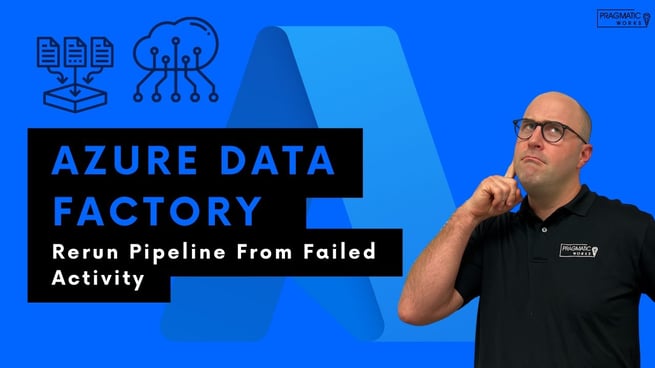
In this tutorial, Austin Libal, a trainer at Pragmatic Works, walks through a practical and highly relevant scenario for data professionals working with Azure Data Factory and Azure Synapse Analytics. The focus is on optimizing ETL processes by rerunning only failed pipeline activities instead of executing the entire pipeline again. This approach can save significant time and computational resources.
Understanding the Problem in ETL Pipelines
ETL (Extract, Transform, Load) processes often involve multiple steps such as loading data into staging tables, cleaning data, and finally transferring it to a destination table. In many real-world scenarios, most pipeline activities execute successfully, but a single activity may fail.
Austin explains that rerunning the entire pipeline in such cases is inefficient, especially when pipelines take a long time to complete. Instead, Azure Data Factory provides a way to rerun only the failed activity, allowing teams to fix issues quickly without repeating completed steps.
Pipeline Scenario Overview
In the demonstration, Austin sets up a pipeline with the following sequence:
- Load data into a staging table
- Execute a pipeline to clean the data
- Load cleaned data into a final destination table
The failure occurs in the final step, where data is supposed to be copied into the destination table. This setup mirrors common production workflows where upstream processes succeed but downstream operations encounter issues.
Triggering the Pipeline Run
To simulate a real execution environment, Austin emphasizes the importance of triggering the pipeline instead of debugging it. Rerunning failed activities is only available for triggered runs, not debug sessions.
Once triggered, the pipeline runs through each step until it reaches the failure point. The monitoring tools then allow users to inspect what went wrong.
Identifying the Root Cause
Using the Monitor Hub in Azure Data Factory, Austin navigates through the pipeline run details to locate the failed activity. Upon inspection, he discovers that the issue lies in a misconfigured query within the Copy Data activity.
The query "SELECT A" is incorrect and prevents the data from being copied. This highlights the importance of validating source queries and configurations before execution.
Fixing the Issue
After identifying the error, Austin corrects the query by removing the invalid statement and ensuring the entire table is properly selected. He then publishes the changes to apply the fix.
This step ensures that the pipeline is updated with the corrected logic before attempting another run.
Rerunning the Failed Activity
Instead of triggering the entire pipeline again, Austin demonstrates how to rerun only the failed activity:
- Navigate to the Monitor Hub
- Locate the failed pipeline run
- Select the failed activity
- Choose the option to rerun from the failed activity
This feature skips previously successful steps and resumes execution from the failure point. As a result, the pipeline completes much faster, often in seconds rather than minutes or hours.
Key Benefits of This Approach
- Time Efficiency: Avoid rerunning long processes unnecessarily
- Cost Savings: Reduce compute resource usage in Azure
- Improved Debugging: Focus only on problematic steps
- Operational Flexibility: Quickly recover from pipeline failures
Final Thoughts
Austin Libal’s walkthrough highlights a powerful yet often overlooked feature in Azure Data Factory. By leveraging the ability to rerun failed activities, data professionals can significantly improve workflow efficiency and reduce downtime.
Pragmatic Works offers additional training, hackathons, and hands-on sessions to help teams master tools like Azure Data Factory, Power BI, and the broader Power Platform. Whether you are troubleshooting pipelines or optimizing performance, understanding these features can elevate your data engineering capabilities.
If you are working with ETL pipelines in Azure, this technique is essential for maintaining efficient and reliable data operations.
Don't forget to check out the Pragmatic Works' on-demand learning platform for more insightful content and training sessions on Azure Data Factory and other Microsoft applications. Be sure to subscribe to the Pragmatic Works YouTube channel to stay up-to-date on the latest tips and tricks.







Leave a comment