Quick Tips to Getting Started With Building Responsive Galleries in Power Apps!
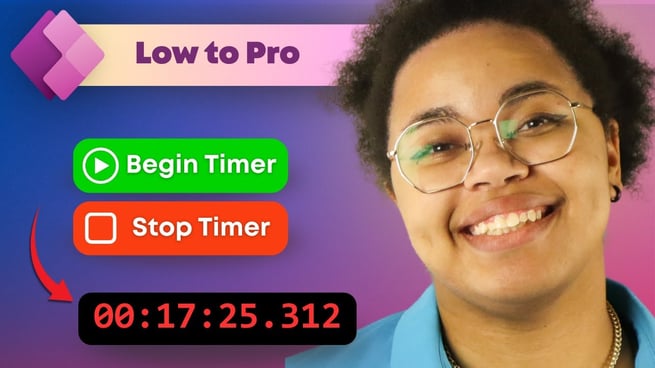
Improving the Timer in Power Apps | Low to Pro
In this episode of Low to Pro, Ace Phillips demonstrates how to enhance the timer functionality in Power Apps model-driven apps. By integrating JavaScript, Ace showcases a method to create a persistent and accurate timer that tracks time even when navigating between tabs or pages within the app.
Understanding the Default Timer Control
The default timer control in Power Apps model-driven apps allows users to measure time elapsed since a specific due date. However, it lacks the capability to track real-time intervals such as start and stop times. While canvas apps offer more flexibility, integrating them into model-driven apps presents challenges, including:
- Timers stopping when navigating between tabs.
- Limited accuracy and persistence.
Ace's JavaScript Solution
Ace introduces a JavaScript-based solution to overcome these limitations. The approach involves:
- Creating a start timer function that records the start time and stores it locally.
- Implementing a stop timer function that calculates the elapsed time and logs it.
- Ensuring the timer continues running even when switching between tabs or reopening the app.
This method provides a more accurate and persistent timer, suitable for tracking time-sensitive tasks within model-driven apps.
Implementing the Timer in Power Apps
To integrate the custom timer into a model-driven app, follow these steps:
- Create a JavaScript Web Resource: Develop a JavaScript file containing the start and stop timer functions.
- Upload the Web Resource: In Power Apps, navigate to Solutions, select your solution, and add the JavaScript web resource.
- Modify the Command Bar: Use the modern command designer to add buttons for starting and stopping the timer. Assign the appropriate JavaScript functions to these buttons.
- Publish Changes: Save and publish the changes to make the new functionality available in the app.
By following these steps, users can implement a robust timer system that enhances task tracking and management within their model-driven apps.
Handling Timer Data
Once the timer is stopped, it's essential to log the elapsed time accurately. Ace's solution involves:
- Creating a time entry record that captures the start time, stop time, and elapsed time.
- Using JavaScript to calculate the total elapsed time and update the record accordingly.
- Ensuring that the elapsed time is displayed in a user-friendly format, such as minutes and seconds.
This approach provides a comprehensive view of time spent on tasks, aiding in better time management and reporting.
Challenges and Future Enhancements
While the implemented solution offers significant improvements, there are areas for further enhancement:
- Pause and Cancel Functions: Implementing features to pause and cancel timers can provide users with more control over time tracking.
- Handling Incomplete Records: Adding functionality to manage and clean up incomplete or abandoned timer records can maintain data integrity.
Ace encourages viewers to explore these enhancements and contribute their solutions, fostering a collaborative learning environment.
Conclusion
Ace Phillips' tutorial offers a practical solution to enhance timer functionality in Power Apps model-driven apps. By leveraging JavaScript, users can create a persistent and accurate timer that tracks time across tabs and sessions. This approach not only improves task tracking but also enhances the overall user experience within Power Apps.
For more in-depth tutorials and resources, visit Pragmatic Works' blog and explore our comprehensive training offerings.
Sign-up now and get instant access
ABOUT THE AUTHOR
Ace Phillips is a Jacksonville native who has a lifelong passion for technology and mechanics. They possess a strong desire for continuous learning and exploration in various fields. Ace discovered their love for coding at an early age and has since honed their expertise in Java and HTML, as well as expanded their knowledge to include Javascript, Python, C++, and Rust. In addition to their professional pursuits, Ace enjoys various hobbies such as playing tabletop roleplaying games, cycling with their canine companion Kronos, coding, gaming with friends, and creating digital art during their leisure time.
Free Community Plan
On-demand learning
Most Recent
private training

Leave a comment