



Microsoft Power Platform,
Power Platform Pro Series,
Power Platform Quick Tips,
Power Platform,
Power Platform Series,
Solution Architect
My Top 3 Favorite Tools In The XrmToolBox as a Solution Architect!
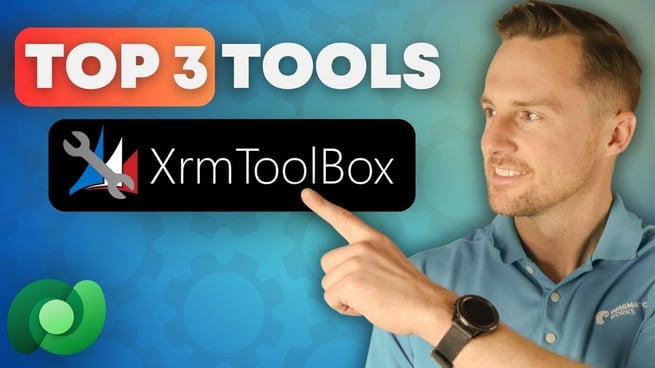
In the world of Power Platform, there are numerous tools to help developers, architects, and engineers streamline their processes and enhance their productivity. Nate Halliwell, a seasoned Solution Architect, shares his top three favorite tools in XRM Toolbox in his video, demonstrating how this free, community-supported Windows application can significantly improve your Data Verse experience. In this post, we'll dive into these tools and explore their capabilities, from simplifying SQL queries to handling complex data migrations.
1. SQL for CDS Tool
For those who come from a traditional SQL background, working with Data Verse can be a challenge. However, the SQL for CDS tool in XRM Toolbox allows users to write complex SQL queries for Data Verse, making it an essential tool for anyone transitioning from SQL-based environments. With this tool, you can:
- Write and execute SQL queries directly on Data Verse environments.
- Perform bulk operations such as deleting or adding records.
- Convert SQL queries into Fetch XML, enhancing flexibility for other tools within the toolbox.
SQL for CDS is an excellent way to leverage your SQL expertise while working within the Data Verse ecosystem.
2. Fetch XML Builder
The next tool that Nate highly recommends is the Fetch XML Builder. If you're dealing with Data Verse and Power Automate, this tool becomes indispensable. Here's what it offers:
- Create and execute complex Fetch XML queries with a WYSIWYG (What You See Is What You Get) interface.
- Easily filter and sort data from different tables, including related entities.
- Convert Fetch XML queries to Power Automate-compatible parameters, making it easier to use within automated workflows.
Not only does it help generate more sophisticated queries, but it also simplifies data retrieval when working with Power Automate flows, especially for those who are not yet familiar with writing advanced OData filters or Fetch XML queries.
3. Data Transporter Tool
The final tool on Nate's list is the Data Transporter, which helps users migrate data between different Data Verse environments. If you're working with a dev environment, test environment, and production environment, this tool will save you countless hours. Key features include:
- Transfer data between different environments, such as from Dev to Prod.
- Auto-map system user references, making it easier to manage user IDs across environments.
- Create playlists to move multiple tables at once, optimizing the data transfer process.
The Data Transporter tool simplifies data migrations, making it an essential tool for solution architects or anyone managing multiple environments. Its functionality is similar to Microsoft's configuration migration tool but with added flexibility and reliability.
Why XRM Toolbox is a Must-Have for Power Platform Users
XRM Toolbox is a game-changer for anyone working with Data Verse. It provides a vast library of tools that cater to specific needs, whether you're building solutions, writing SQL queries, or migrating data. The toolbox isn't just for developers; it's for anyone who wants to streamline their work with Data Verse. By leveraging these tools, you can:
- Increase efficiency by automating repetitive tasks.
- Enhance your Data Verse experience with more control and customization.
- Take advantage of community-supported, constantly evolving tools.
As Nate emphasizes in his video, exploring XRM Toolbox can truly unlock a new level of productivity and make working with Data Verse less intimidating. Whether you're a seasoned pro or just starting with Power Platform, the toolbox has something valuable for you.
Conclusion
If you're not yet using XRM Toolbox, you're missing out on a powerful suite of tools that can drastically improve your experience with Data Verse. From SQL for CDS to Fetch XML Builder and Data Transporter, these tools offer specialized solutions for various challenges in Data Verse development. As Nate Halliwell suggests, get started today and explore all the amazing possibilities XRM Toolbox has to offer.
Don't forget to check out the Pragmatic Works' on-demand learning platform for more insightful content and training sessions on Power Platform and other Microsoft applications. Be sure to subscribe to the Pragmatic Works YouTube channel to stay up-to-date on the latest tips and tricks.
Sign-up now and get instant access

ABOUT THE AUTHOR
Nate Halliwell is a Power Platform enthusiast, specializing in Power Apps and Power Automate. He began his journey into the Power Platform as a “Citizen Developer” while working as a recruiter in talent acquisition. He used Pragmatic Works to train himself on the technology and hopes to use this new role as a trainer to help others achieve similar career transitions! Nate is PL-900 and PL-100 Certified, and ready to help you take on any Power Apps or Power Automate challenges you or your organization are currently facing! Outside of work, Nate is a husband, a father to 2 boys, and a beer league hockey player.
Free Community Plan
On-demand learning
Most Recent
private training



-1.png)
Leave a comment