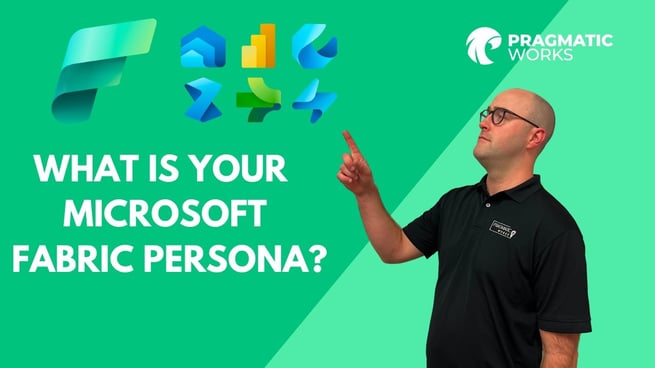
In the video "What is Your Microsoft Fabric Persona?" by Austin Libal from Pragmatic Works, viewers are introduced to the various product experiences and personas available within the Microsoft Fabric environment. Austin highlights how these new experiences enhance Power BI capabilities and streamline data operations across organizations.
Introduction to Microsoft Fabric
Austin begins by referencing a prior video by Manuel on the administration of Microsoft Fabric. He emphasizes that the Microsoft Fabric platform is rapidly evolving, with frequent updates and new functionalities. He encourages viewers to subscribe to Pragmatic Works' channel and on-demand learning platform to stay up to date.
Exploring Product Experiences and Personas
Austin explains that within the Power BI service, multiple product experiences—or "personas"—are now accessible. These personas cater to different user roles and use cases, providing a tailored experience for each:
- Power BI: Ideal for traditional report developers who create dashboards and share insights across the organization.
- Data Factory: Used to move and transform data via pipelines or data flows. The platform supports both Power Query-based transformations (Dataflow Gen 2) and pipelines for moving data to destinations.
- Synapse Data Engineering: Integrates features from Synapse Analytics, enabling users to work with lake houses, data warehouses, and code-based transformations. Familiarity with previous Synapse or Data Factory experiences is leveraged here.
- Data Science: Supports notebooks for Spark-based data transformations, machine learning model training, and experiments. Languages such as PySpark, Python, and R are supported.
- Data Warehouse: Provides SQL-like infrastructure for creating tables and managing structured data. The data is stored in Delta format, similar to the lake house experience, and can be accessed via pipelines.
- Real-Time Analytics: Enables analysis of streaming data using KQL (Kusto Query Language) within an Acousto database.
Key Features Across Experiences
Austin highlights several features consistent across the Microsoft Fabric personas:
- Data Pipelines: Found in multiple personas, pipelines facilitate moving and transforming data across environments.
- Notebooks: Provide coding environments to manipulate data and perform machine learning tasks.
- Lake House Integration: Acts as a centralized storage solution, similar to OneDrive, for easy data access, governance, and security management.
- Data Governance: Users can endorse datasets to validate quality and apply access rules for organizational compliance.
- Workspace Integration: All personas operate within workspaces where Fabric is enabled, allowing seamless navigation and task management.
Practical Use Cases
By organizing these personas under the Microsoft Fabric umbrella, Austin illustrates how organizations can cater to diverse roles and technical expertise levels. For example:
- A Power BI developer can focus on dashboards and reports.
- A data engineer can build pipelines and manage ETL processes.
- A data scientist can explore machine learning and advanced analytics within the same environment.
- Analysts can leverage real-time streaming analytics to make timely decisions.
Conclusion
Austin concludes by reinforcing the flexibility and power of Microsoft Fabric. He encourages viewers to check previous tutorials for setting up Fabric in their Power BI tenant and exploring administrative capabilities. With Fabric, users can seamlessly integrate Power BI, Data Factory, Synapse, and real-time analytics under a single, user-friendly environment. The video provides a high-level overview, emphasizing how the platform adapts to varied user personas and enhances organizational data workflows.
Don't forget to check out the Pragmatic Works' on-demand learning platform for more insightful content and training sessions on fabric and other Microsoft applications. Be sure to subscribe to the Pragmatic Works YouTube channel to stay up-to-date on the latest tips and tricks.






-1.png)
Leave a comment