In this session, Manuel Quintana from Pragmatic Works discusses the new monitoring feature for workspaces in Fabric, specifically focusing on real-time intelligence and how it can improve monitoring and logging in Azure workspaces. This feature makes it easier for users to track workspace activities and gather valuable insights for optimization.
Key Features of the New Workspace Monitoring
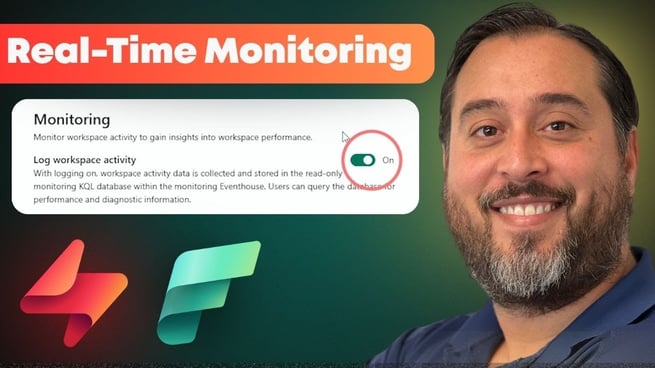
Manuel highlights a new addition to Fabric workspaces that allows users to monitor workspace activity in real-time. Previously, users could connect their workspaces to Azure Log Analytics for performance and usage logs, but this new feature enhances those capabilities with real-time intelligence. The key aspects of the feature include:
- Real-time intelligence integration for monitoring workspace usage and activity.
- Incorporation of Event House, a KQL database and event stream storage, which is set up automatically once enabled.
- Simple setup process: Users can turn on the monitoring feature with just one click.
How to Enable the Monitoring Feature
Enabling the monitoring feature is simple and does not require extensive configuration. To get started, users need to have admin or member rights in their workspace. Here are the steps to activate this feature:
- Navigate to the workspace settings in the top-right corner.
- Under the "Azure Connections" section, select the "Monitoring" tab.
- Click the green button labeled "Event House" to enable the monitoring.
After clicking the button, a new set of objects including the monitoring event house, KQL database, and event stream will be provisioned automatically. Users can then begin querying and interacting with the data immediately.
Exploring the Data and Querying with KQL
Once the monitoring feature is enabled, users can start exploring the data generated by the workspace logs. The data is stored in a KQL database, which supports querying with the Kusto Query Language (KQL). KQL is used to extract and analyze the logs, enabling users to gain deeper insights into their workspace activity. Some of the key features include:
- Access to multiple tables storing different types of log data, such as event house metrics, semantic model logs, and API command logs.
- Ability to perform queries using KQL, join tables, and clean up data for more precise insights.
- Option to create PowerBI reports directly from the queried data for further analysis and visualization.
Creating Reports and Dashboards
Once users have queried the data, they can generate reports or dashboards to visualize the results. This feature integrates seamlessly with PowerBI, enabling users to create real-time dashboards and reports with a click of a button. The process is simple:
- After running a query, users can create a PowerBI report or real-time dashboard directly from the query results.
- The dashboards can display metrics and activities from the workspace, helping users monitor performance in real-time.
Exploring the Benefits of Real-Time Monitoring
This new monitoring option offers several benefits, including:
- Enhanced real-time tracking of workspace usage and performance.
- Immediate access to relevant logs and metrics for more informed decision-making.
- Simple setup and easy-to-use features that don’t require advanced technical skills.
While the feature is still relatively new, it holds great promise for future updates. Users can expect more options to be added, expanding the monitoring capabilities and providing more data points for analysis.
Conclusion
The real-time intelligence feature for workspace monitoring in Fabric provides an intuitive and straightforward way to track and analyze workspace activities. By using KQL and PowerBI, users can efficiently create detailed reports and dashboards to optimize workspace performance. As the feature evolves, it is expected to add even more functionalities, making it an essential tool for workspace management and performance optimization.
Manuel Quintana encourages users to try the new feature, explore its capabilities, and share their experiences with it. With its potential for auditing, monitoring, and logging, this new feature offers exciting possibilities for Fabric users.
Don't forget to check out the Pragmatic Works' on-demand learning platform for more insightful content and training sessions on Fabric and other Microsoft applications. Be sure to subscribe to the Pragmatic Works YouTube channel to stay up-to-date on the latest tips and tricks.









-1.png)
Leave a comment