If you are tired of long, complex DAX formulas, using variables in DAX can help you streamline your calculations. Variables allow you to define a formula's components and reuse them, making your DAX formulas more efficient and readable. In this video, Greg Trzeciak explains how variables can optimize your Power BI reports and when not to use them.
What Are DAX Variables?
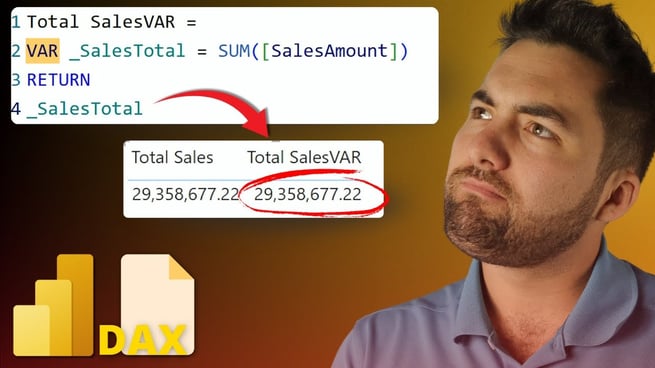
In DAX (Data Analysis Expressions), a variable is a way to define a piece of a formula that can be reused throughout your calculations. This can significantly reduce redundancy and improve the performance of your Power BI reports. The syntax for creating a variable begins with the VAR keyword, followed by the variable's name and its definition.
Best Practices for Using DAX Variables
- Use Underscores in Variable Names: To make your formulas more readable and easier to reference later, it's recommended to use underscores in your variable names. This will make it clear that a name represents a variable.
- Use
RETURN to Complete Your Formula: Every DAX variable must end with the RETURN keyword. Without it, the calculation will not be executed correctly.
- Variables Are Local to Measures: Keep in mind that variables are localized to the measure they are defined in. This means you cannot reuse variables across different measures.
Creating a Motivation Metric with Variables
Greg demonstrates how to use variables with a real-life example of calculating a motivation metric based on three factors: cups of coffee, hours of sleep, and meetings attended. Instead of repeatedly using raw expressions, Greg defines each of these factors as a variable to simplify the formula.
Performance Considerations with DAX Variables
While DAX variables improve the readability of your formulas, there are performance considerations to keep in mind. In some cases, using variables may not give the expected results due to filter context. Variables are essentially snapshots, meaning they calculate values at a specific point in time. This may not always work well when working with dynamic contexts, like in a CALCULATE function.
- Snapshot Behavior: Since variables capture the values of expressions at a specific point, they can be limited by the context of your measure. Be mindful of this behavior when using them in more complex formulas.
- Performance Impacts: In some cases, repeating calculations within variables can improve performance. However, if not managed correctly, they might still impact performance negatively.
Debugging DAX Formulas with Variables
Greg also shows how to debug DAX formulas by returning individual variables during the calculation process. This allows you to check if each part of the formula is working correctly before combining them into a final result.
When to Use DAX Variables
Greg concludes by emphasizing that variables are useful in many DAX scenarios. If you're dealing with repetitive expressions or need to improve the clarity and performance of your formulas, variables are a great tool. However, they may not always be the best solution if you require specific filter contexts or need to use the variable in multiple places.
Conclusion
By incorporating DAX variables into your Power BI reports, you can create more efficient, readable, and maintainable formulas. While it's important to understand the limitations of variables, they can greatly enhance your DAX skills and Power BI workflows. For more personalized learning, consider joining Pragmatic Works’ virtual mentoring sessions, where experts like Greg can guide you through complex DAX challenges.
Don't forget to check out the Pragmatic Works' on-demand learning platform for more insightful content and training sessions on Power BI and other Microsoft applications. Be sure to subscribe to the Pragmatic Works YouTube channel to stay up-to-date on the latest tips and tricks.









-1.png)
Leave a comment