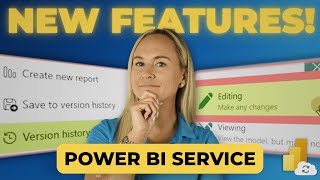
In this video, Angelica Domenech discusses the new features available in the Power BI service, specifically focusing on semantic model version history and editing semantic models directly in the service. These updates aim to streamline the process for developers and enhance collaboration within shared workspaces.
Introduction
Angelica introduces the topic by addressing a common issue faced by developers: the need to navigate back to the Power BI desktop application to make changes to the semantic model and republish it. She highlights the new feature of semantic model version history in the Power BI service, which alleviates this issue.
Semantic Model Version History
Angelica explains the benefits of semantic model version history, allowing developers to view and restore previous versions of their semantic models directly in the Power BI service. This feature is currently available to those working in a premium workspace.
Editing Semantic Models in the Service
Angelica demonstrates how to edit semantic models in the Power BI service, including writing DAX measures, creating row-level security roles, and modifying relationships. She notes that this feature is also limited to premium workspaces and has some limitations compared to the desktop application.
Limitations and Considerations
- Semantic model version history is only available in premium workspaces.
- Only five versions are saved per model, with the oldest version being overwritten when the limit is reached.
- Semantic models must be upgraded to enhanced metadata format and support large semantic model storage format.
- Editing semantic models requires specific permissions and must be enabled by the Power BI tenant admin.
Practical Demonstration
Angelica provides a practical demonstration of navigating to a workspace, viewing semantic model version history, and editing the semantic model. She shows how to modify relationships, create new measures, and set up row-level security roles.
Conclusion
Angelica concludes by summarizing the key points and emphasizing the impact of these new features on the development process. She encourages viewers to refer to the Microsoft Learn documentation for a full list of limitations and considerations.
Don't forget to check out the Pragmatic Works' on-demand learning platform for more insightful content and training sessions on Power BI and other Microsoft applications. Be sure to subscribe to the Pragmatic Works YouTube channel to stay up-to-date on the latest tips and tricks.









-1.png)
Leave a comment