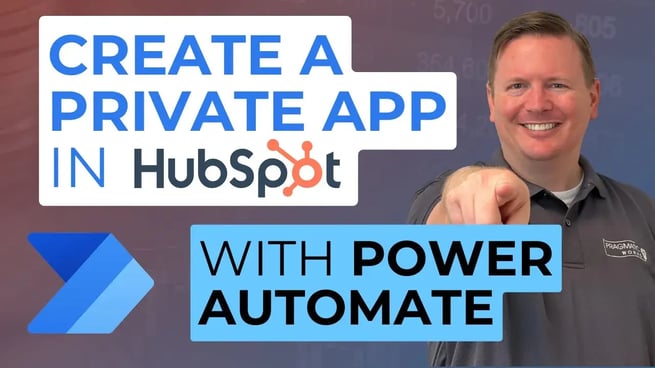
In this introductory video from a new integration series, Devin Knight of Pragmatic Works walks users through the foundational step of connecting HubSpot with Power Automate: creating a private app in HubSpot. This setup is essential for secure API communication between the platforms and enables automation and data sync tasks across systems.
Understanding the Integration Purpose
Many organizations today use multiple platforms, such as Microsoft 365 tools alongside HubSpot, a popular customer relationship management (CRM) and marketing platform. This creates the need for streamlined integration, where Power Automate serves as a bridge for pushing, pulling, or updating data within HubSpot.
Key Requirement
- To follow this integration process, users must have a Power Automate Premium license.
- This license is necessary to access HubSpot’s API from Power Automate flows.
Step-by-Step: Creating a Private App in HubSpot
Before any Power Automate integration can occur, users must set up a private app in HubSpot. Here's how Devin outlines the process:
- Log in to your existing HubSpot instance (used in the demo is Pragmatic Works' own instance).
- Click the gear icon at the top right to access Settings.
- In the left navigation pane, expand the Integrations section and select Private Apps.
- Click Create a private app to begin configuration.
- Provide a name (e.g., “YouTube Integration”) and a description for easy identification later.
Defining App Scope
Scopes define what data the app can access. Devin focuses on the CRM section for the demonstration:
- Select access permissions for key objects like:
- Contacts – Marketing leads or customer records
- Deals – Sales opportunities
- Companies – Business entities linked to contacts
- You can enable read/write permissions depending on how you plan to use the app.
Generating and Managing the Access Token
Once scope selections are made, users create the app and receive an access token, which acts as the authentication method to HubSpot’s API. Devin emphasizes:
- Keep this token secure—do not share it publicly.
- Store it temporarily for use in Power Automate configurations.
- You can retrieve it later via the Authentication tab within the app settings.
Exploring HubSpot API Documentation
To properly use the access token in Power Automate flows, developers must understand how HubSpot’s API works. Devin provides an overview of HubSpot’s v3 REST API documentation, which includes:
- Basic operations like GET, POST, PUT, DELETE for various objects
- Testing endpoints directly within the docs using the access token
- Searching, listing, creating, and updating contact records
- Support for GDPR-compliant deletions
One common use case highlighted is checking if a contact already exists in HubSpot before creating or updating it—an automation scenario Devin plans to cover in a follow-up video.
Wrap-Up and What’s Next
This foundational video prepares users for deeper HubSpot and Power Automate integrations by:
- Setting up secure API communication via a private app
- Understanding HubSpot API documentation
- Highlighting future automation workflows like conditional contact creation
Don't forget to check out the Pragmatic Works' on-demand learning platform for more insightful content and training sessions on Power Automate and other Microsoft applications. Be sure to subscribe to the Pragmatic Works YouTube channel to stay up-to-date on the latest tips and tricks.


.png?width=44&height=44&name=Devin_pic%20(1).png)
.png?height=100&name=Devin_pic%20(1).png)



-1.png)
Leave a comment