<img height="1" width="1" style="display:none" src="https://www.facebook.com/tr?id=612681139262614&amp;ev=PageView&amp;noscript=1">
Skip to content

Need help? Talk to an expert: phone(904) 638-5743

Nick Lee

Nick Lee

Data Engineer (Azure) Trainer

Meet Nick Lee

About

Nick has been a dedicated trainer and consultant since 2018, leveraging his extensive experience working with major companies, including Fortune 200 corporations, professional sports organizations, government entities, and leading firms in the finance and healthcare sectors. With a specialized focus on Power BI and data engineering, Nick has consistently demonstrated his ability to drive data-driven decision-making and optimize business processes. His commitment to excellence and his in-depth technical expertise have made him a trusted advisor and sought-after expert in the industry.

Certifications

PL-300: Power BI Data Analyst Associate

Microsoft

AZ-104: Azure Administrator Associate

Microsoft

DP-203: Azure Data Engineer Associate

Microsoft

DP-500: Azure Enterprise Data Analyst Associate

Microsoft

Courses

Course
Learn With The Nerds - Data Modeling for Power BI
Everything in Power BI is more complicated if you don’t build a good data model. Business Intelligence consultants spend an entire career learning how to build data models, but NOT you! Understanding the fundamentals of dimensional modeling (Star Schema) can get you very far in Power BI. During this session, you will learn what a Star Schema is, building facts and dimensions, understanding relationships, role-playing tables and calculation groups. After you finish this course: 📄 If you have completed this class and would like a certificate, fill out this form - https://tinyurl.com/yf5w5p72
Course
Azure DevOps for Users
Explore what DevOps is (and isn’t) and learn how to get started with Azure DevOps. In this course, you’ll identify what separates elite performers from low performers, list the services provided by Azure DevOps, and create your own Azure DevOps organization. Learn how to use the agile methodology with epics, boards, and sprints. Whether you’re a beginner or an expert, these classes will help you understand and utilize the capabilities of Azure DevOps.
Course
Azure DevOps for Project Managers
In this course, Nick Lee introduces Azure DevOps as a comprehensive tool for project managers aiming to optimize their development workflow through features like Taskboards and Scrum methodologies. He emphasizes that the course is designed for project managers, team leads, stakeholders, and anyone involved in planning, tracking, or overseeing projects, focusing on the management aspect rather than the technical details of development processes. The curriculum will cover accessing Azure DevOps, configuring epics, sprints, features, user stories, tasks, bugs, and utilizing various tools within Azure DevOps to manage teams effectively in any workflow or development process.
Course
Introduction to DAX Studio
In this class, Nick will guide you through a comprehensive exploration of DAX Studio, beginning with an introduction to its capabilities as a powerful tool for analyzing and optimizing data models within Power BI and other Analysis Services. You'll learn how to connect DAX Studio to your data models, navigate its user-friendly interface, and unlock its potential for performance tuning and troubleshooting. Nick will take you through the fundamentals of data modeling, focusing on the structure of tables and relationships.
Course
Introduction to Tabular Editor
Tabular Editor is a powerful tool for managing and optimizing tabular models in Microsoft Power BI and Analysis Services. This course provides an introduction to its key features, helping users streamline model development, improve efficiency, and enhance data analysis capabilities. Whether you're looking to simplify DAX calculations, automate tasks, or gain better control over your data models, this course will equip you with essential knowledge to get started.
Course
TMDL View in Power BI
In TMDL View in Power BI, instructor Nick Lee introduces you to the Tabular Model Definition Language (TMDL) View—a new way to explore and edit your Power BI semantic models. This course is ideal for Power BI developers and data professionals who want more visibility into the structure and behavior of their models. With TMDL, you can work more flexibly and transparently with your data models in a source-controlled, text-based format. Nick walks you through how to access TMDL View in Power BI Desktop, understand its layout, and apply it to your everyday development workflow. You’ll learn how this new feature enhances model management, improves team collaboration, and opens up new options for automation and version control. Whether you’re refining existing models or building new ones, TMDL View gives you a powerful new perspective.
Course
DAX Query View in Power BI
Take your Power BI skills to the next level by learning how to write and run queries with the DAX Query View. In this course, Nick Lee introduces you to this powerful new feature, which gives developers a flexible way to explore, test, and analyze data using DAX directly within Power BI Desktop. Whether you're debugging measures, exploring data, or validating results, DAX Query View offers greater control and visibility into your model. Nick walks you through how to access DAX Query View, structure your queries, and use them for everything from quick insights to deeper model analysis. With clear, hands-on examples, this course will help you understand the value of DAX queries and how to incorporate them into your Power BI development workflow for better results and faster iteration.
Course
Introduction to Azure Databricks
In Introduction to Azure Databricks, instructor Nick Lee introduces you to one of the most powerful platforms for big data and advanced analytics. Built on Apache Spark and fully integrated with Azure, Databricks provides a collaborative environment for working with large-scale data, building machine learning models, and streamlining data engineering workflows. This course is designed for beginners looking to understand what Databricks is, how it works, and how to get started using it in the Azure ecosystem. Nick walks you through the core features of Azure Databricks, from creating your first workspace to running notebooks and managing clusters. You'll learn how to import data, write code collaboratively, and begin developing data-driven solutions in the cloud. Whether you're a data analyst, engineer, or new to Azure, this course will help you gain the foundational knowledge you need to start exploring Databricks with confidence.
Course
Utilizing Azure Databricks
Take your Databricks skills to the next level in Utilizing Azure Databricks, where instructor Nick Lee guides you through the practical side of working with data in this powerful cloud-based platform. Building on the fundamentals, this course focuses on applying Azure Databricks in real-world scenarios—helping you understand how to manipulate data, run code, and collaborate efficiently within notebooks and clusters. You'll learn how to create and manage notebooks, write and execute code in different languages, and use key features like clusters, libraries, and the workspace UI. Nick also demonstrates how to work with structured data and integrate with other Azure services. Whether you're an analyst, data engineer, or just ready to start building with Databricks, this course will give you the hands-on knowledge you need to get started quickly and confidently.
Course
Introduction to Fabric Data Agents
In Introduction to Fabric Data Agents, Nick Lee explains what data agents are and how they sit on top of your trusted Microsoft Fabric data to answer questions in natural language. You’ll see where agents fit in a modern analytics stack, common use cases (exploratory Q&A, quick summaries, guided lookups), and how grounding to governed data helps keep answers relevant and reliable. Then you’ll build one step-by-step. Nick walks through creating a data agent, connecting it to the right datasets, and crafting effective AI instructions that shape tone, scope, and guardrails. You’ll test with example queries to iterate on accuracy and user experience, then learn simple ways to publish and share your agent so teammates can start using it. By the end, you’ll have a clear blueprint: define purpose, build, instruct, validate with examples, and deploy.
Course
Learn With The Nerds - Planning a Power BI Project
Ready to take your Power BI projects from idea to impact? Join our next Learn with the Nerds to learn how to plan for success. We’ll cover self-service vs. enterprise models, budget planning, tenant settings, security, capacity management, CI/CD, and more. Whether you’re just starting out or refining your practices, you’ll walk away with a blueprint to deliver smarter, faster, and more secure insights. You will learn: Self-Service vs. Enterprise - Budget Planning - Planning for Specific Features - Tenant Settings - Security - Capacity Management - CI/CD
Course
Creating and Managing Azure Databricks Clusters
Clusters are the engine behind everything you do in Databricks. In Creating and Managing Azure Databricks Clusters, Nick Lee guides you through how clusters work, how to choose the right configuration, and how to avoid the most common setup mistakes. You’ll learn the difference between interactive and job clusters, when to use single-node vs. multi-node options, and how settings like runtime versions, node sizes, and autoscaling impact performance and cost. Then you’ll focus on real-world management. Nick covers permissions and governance, best practices for naming and standardizing cluster policies, and how to monitor usage to keep spending predictable. You’ll also learn troubleshooting basics—startup failures, slow performance, and configuration mismatches—so you can keep your environment reliable for both analysts and engineers. By the end, you’ll be confident creating clusters that are secure, efficient, and fit for purpose.
Course
Shared vs Dedicated Clusters
Not all Databricks clusters are created equal—and choosing the wrong type can hurt both performance and cost. In Shared vs Dedicated Clusters, Nick Lee breaks down the practical differences between shared clusters used by many users and dedicated clusters reserved for a single workload or team. You’ll learn how each model affects isolation, resource contention, security, and user experience, using clear, real-world examples instead of theory. From there, the session focuses on making the right choice for your scenarios. Nick walks through common patterns—ad hoc analysis, scheduled jobs, production pipelines, and high-security workloads—and maps them to shared or dedicated designs. You’ll also explore governance and cost-management tips, including policies, tagging, and monitoring, so your cluster strategy stays predictable as usage grows. By the end, you’ll have a decision framework you can apply to new and existing Databricks environments.
Course
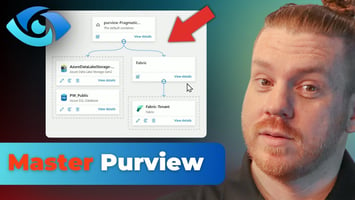
Purview Per-User Licensing Model and Core Capabilities
Microsoft Purview can feel overwhelming, especially when licensing and capabilities get mixed together. In Purview Per-User Licensing Model and Core Capabilities, Nick Lee breaks down what the per-user licensing model actually means and how it impacts what features you can use across your organization. You’ll get a clear, practical understanding of how Purview is packaged, who needs a license, and how to think about licensing in a way that aligns to real compliance and security goals. Then Nick walks through the core capabilities that matter most, focusing on what Purview helps you do at a high level. You’ll explore the major areas Purview covers, like visibility into your data, basic governance controls, and the tools that support compliance workflows. By the end, you’ll have a simple framework for understanding what Purview offers, how the per-user model works, and how to plan next steps without overbuying or underusing features.
Show more

Bootcamps

Show more

What our clients say

Get our special offers directly to your email

Jonathon-banner-page Jonathon-banner-page Jonathon-banner-page